Introducing Sotorko: check before you send
· 6 min read · Sotorko, Android, Security, Bangladesh
Mobile money is how a huge part of Bangladesh pays, saves and sends money home. It is also where a lot of scams happen. A message says money was sent by mistake and asks for it back. A caller pretends to be from bKash and asks for an OTP. A link looks almost like the real one. The person on the other end often has a few seconds, a worried mind and nobody to ask.
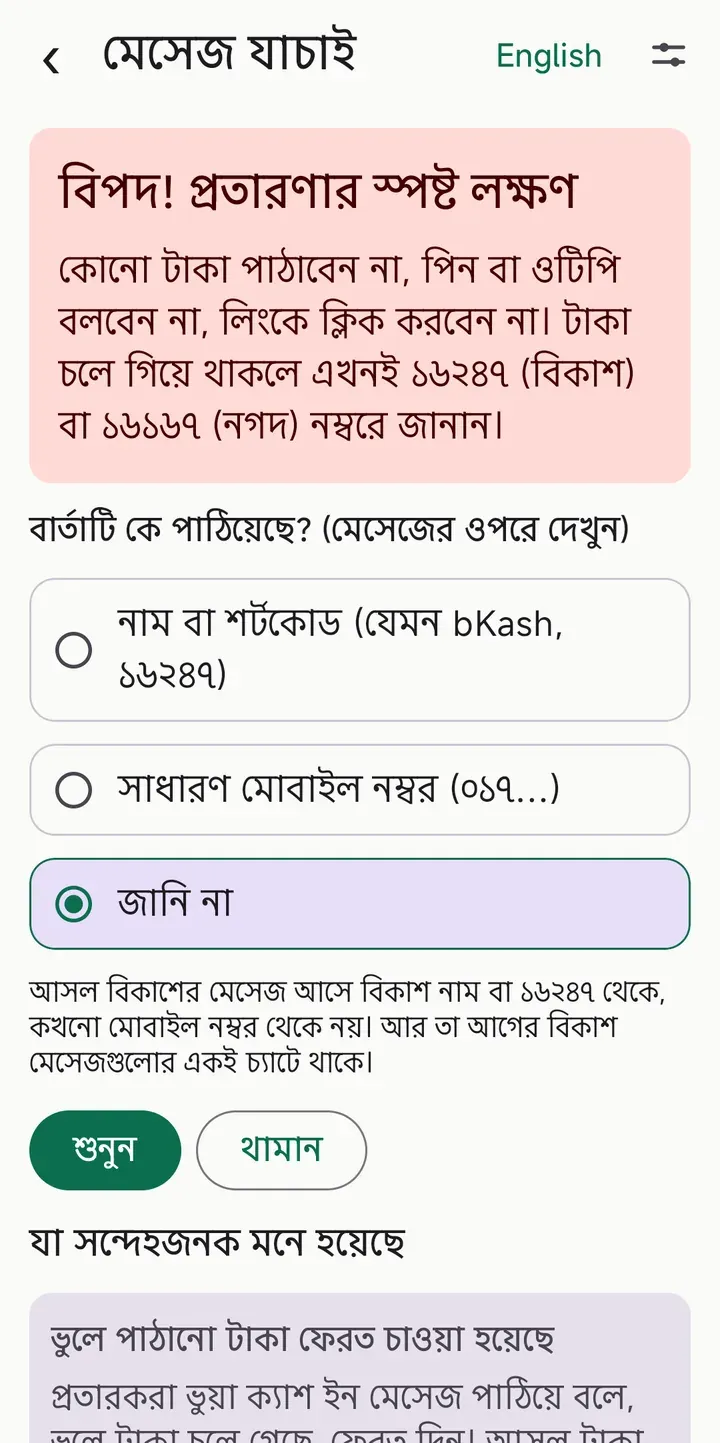
Sotorko (সতর্ক, “be careful”) is my attempt at giving that person someone to ask. Paste or share the message into the app, and it points out the red flags in plain Bangla, and can read the explanation aloud. The idea fits in one line: check once before you send money.
The motive
I wanted to build something small and useful against a problem that is easy to see and hard to fix with technology alone. Most scam advice is a poster or a news article. It is true, but it is not there at the moment the message arrives.
So the aim was narrow on purpose. Not “stop all fraud”, but: when you are unsure about one message, here is a calm second opinion, in your own language, that you can get without sending the message to anyone.
The design rules
Most of the work on Sotorko went into deciding what it must never do. These rules are written down in the repository and every change is held to them.
- Bangla first. Bangla is the default language, English is one tap away, and every string exists in both. A result can be read aloud for people who would rather listen than read.
- On the phone. Checking a message happens entirely on the device and needs no internet. The app does not ask for SMS, call-log or contacts permission. You share or paste the message yourself, so it only ever sees what you give it.
- Honest words. The app reports “red flags found” or “no warning signs found”. It never calls a message a confirmed scam and it never says “safe”, because a new kind of scam can always get past a rule. “No warning signs” is not a promise, and the app says so.
- No money. It never holds, moves or asks for money. It only reads and records.
- Reports are not verdicts. You can look up how many people reported a phone number, but those are anonymous, unverified claims. They are shown as “N people reported this number” and never as a judgment about anyone, and zero reports never means a number is fine.
How the checking works
There is no machine learning model and no server in the loop. Sotorko uses a rules engine written in plain Kotlin. Some rules are simple, such as a link that is not an official one. The bigger scam families, such as fake fines, “earn from home” schemes that charge a fee, parcel fees, someone claiming to be the police, or a relative in an “accident”, only fire when the message combines a context, an action it asks for and some pressure or deception. A single scary word is never enough, because real people also write “urgent” and “bKash” in ordinary messages. The patterns follow what bKash, the government’s cyber security team and the police have published, plus scam messages people really received, and the notes and their limits are in the repository.
It also cannot see who sent a message, because Android does not pass that on through sharing. So the app asks you to tap what is shown at the top, a number or a name, and uses that. A real bKash message never comes from an ordinary mobile number, but a scammer can send a message under a name too, and the app says that plainly.
Stays on the phone
- Checking a message and its red flags
- The spoken explanation
- The complaint and GD letter you type
- App lock and every setting
Goes online, and only then
- A dangerous-message alert to the family guardian you chose, only with your consent
- A count of reports about a number, as unverified reports, using a hash and never the number itself
How it looks
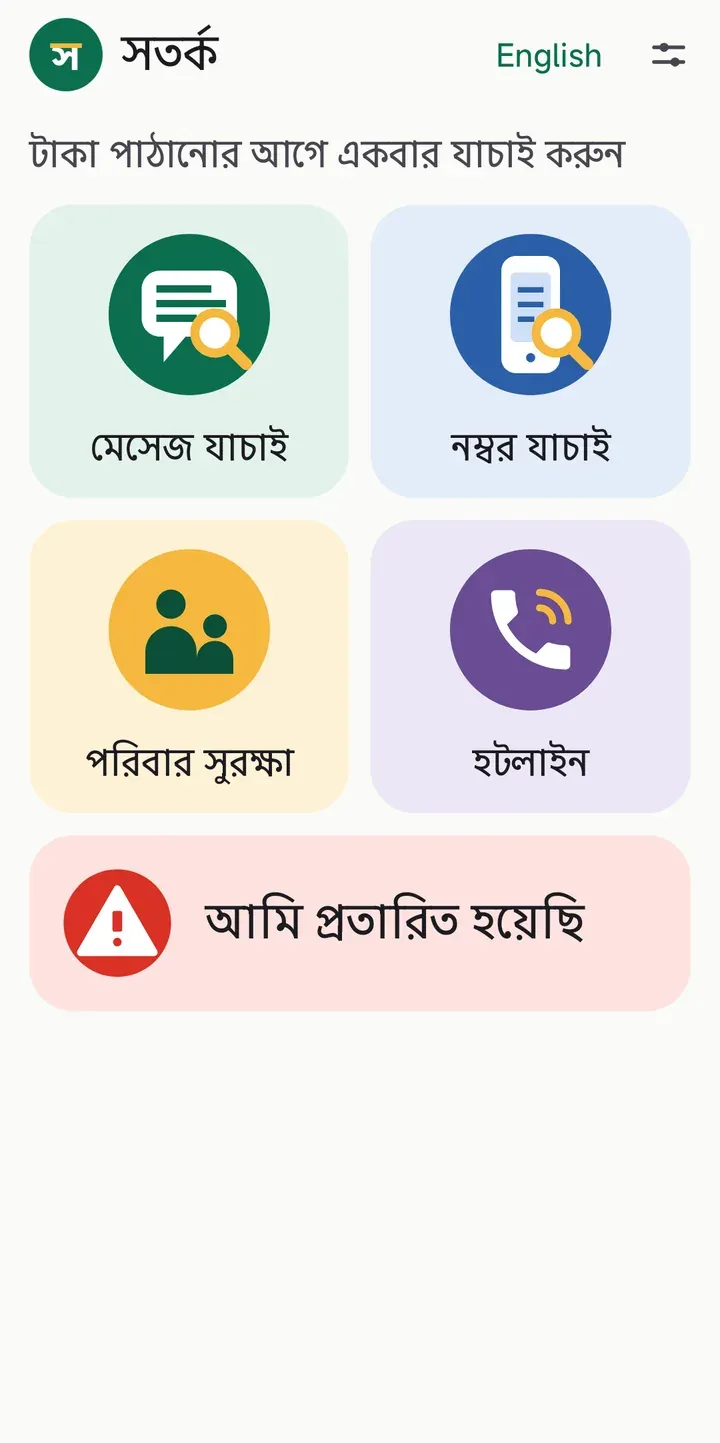
The home screen is only big illustrated tiles with one short label each: check a message, check a number, family, hotlines, learn, and “I’ve been scammed”. The idea is that someone who is not comfortable with text-heavy apps can still find their way. Everything else, the forms and settings, sits one tap behind a tile.
I tried to make one consistent look instead of a pile of screens: a green colour scheme in light and dark, rounded cards, the same few building blocks everywhere, and nothing with a fixed height for text so that large font sizes wrap instead of clipping. There are three text sizes on top of the phone’s own, a high-contrast mode, a simple one-column home and screen-reader support. The app is meant to run on cheap Android Go phones, so I keep the download small and avoid heavy libraries.
What else it does
Checking a message is only half of it, because sometimes the money has already gone.
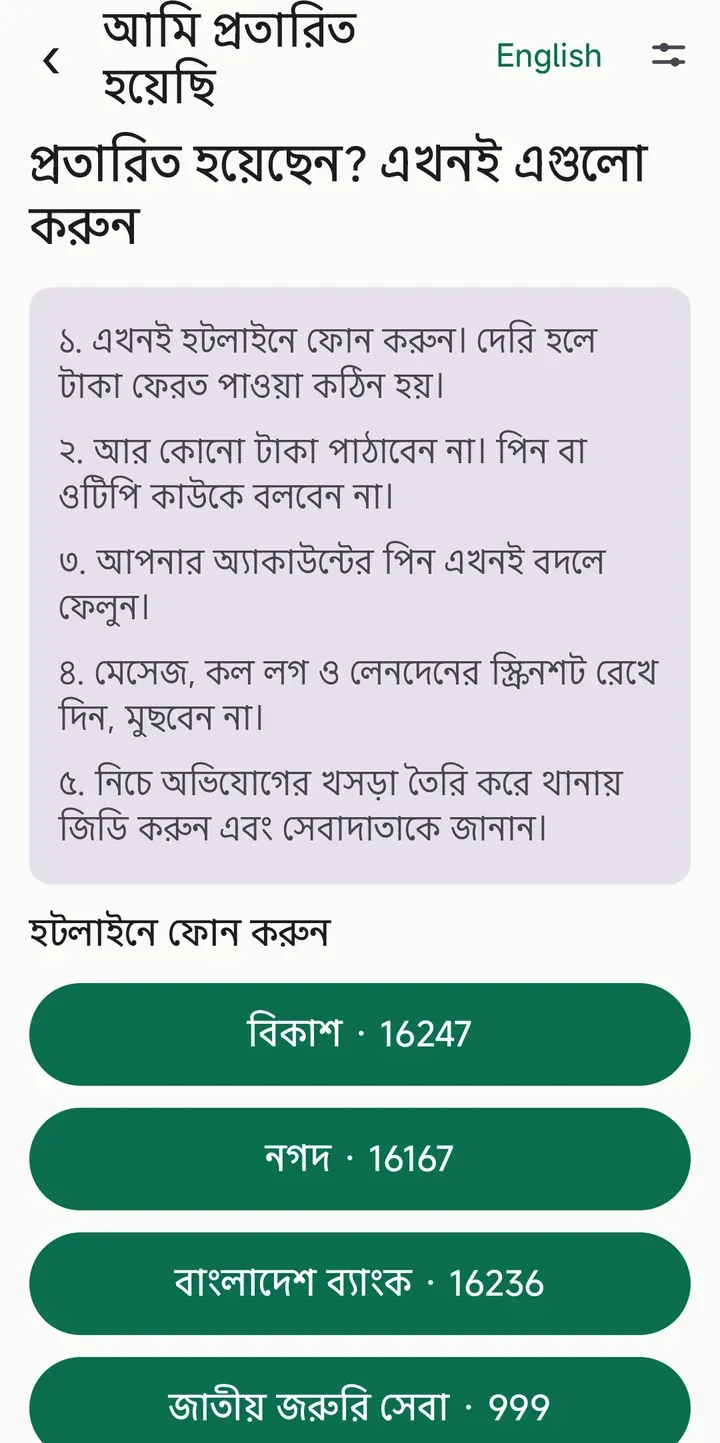
- “I’ve been scammed”. The hotline numbers, a step-by-step checklist, and a draft complaint and General Diary (GD) letter in the format used by Bangladesh Police that you can print and take to the station. It also walks you through the police’s Online GD, but it never files for you and never asks for your national ID. What you type for the letter stays on the phone.
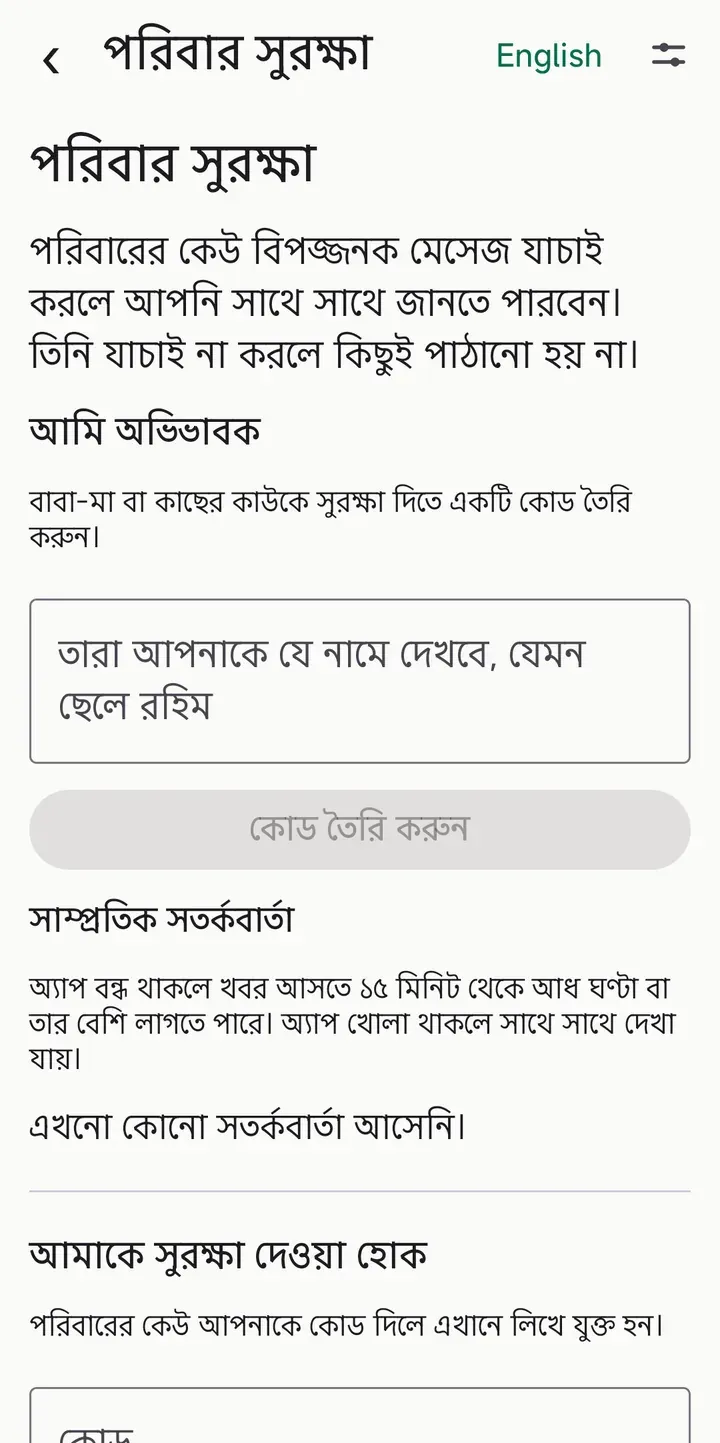
- Family guardian. A person can link a trusted family member, with a pairing code and their consent, who is told when a dangerous message is checked. The notification never contains the message text. This is the only part that goes online besides crowd reports, and only if the person agrees.
- Learn and FAQ. The five golden rules, nine common scams and what to do about each, and answers to common questions, all offline.
Join the closed test
Sotorko is in closed testing on Google Play, so it is not yet open to everyone. Joining takes two steps:
- Join the testers group with the same Google account you use for Play Store on your phone: groups.google.com/g/sotorko-testers.
- Install it from Google Play: Sotorko on Google Play. If you have not joined the group first, the page will not show the app, and it can take a little while to appear after you join.
I would love real feedback: a message it got wrong in either direction, a screen that is hard to read at a large text size, wording that sounds unnatural in Bangla. Please do not send me messages containing your own numbers or PINs. A made-up example is enough.
Where it stands, and what it is not
Sotorko is an early version, and it is independent. It is not connected to bKash, Nagad or any other service, those names belong to their owners, and it can miss new or unusual scams. If anything seems wrong, call the official hotline yourself, using the number from the company’s own app or website, not one from the message.
There is more I want to do: checking the app with TalkBack in both languages, more scam patterns as I learn about them, and eventually opening it to everyone. For now, I would simply like it to be useful to the people who try it.
You can read more on the Sotorko project page, or visit sotorko.azimulkabir.com.