Offline-First Sync in Actua: What It Takes to Speak Actual Budget's Protocol on Android
· 5 min read · Android, Kotlin, Actual Budget, Offline first, Open source
When you build software for personal finance, the golden rule is simple: data loss is unacceptable, and lag is fatal.
If someone pulls out their phone at a checkout counter with poor coverage, they cannot wait for a spinner to query a remote server just to record a grocery expense. The app must open instantly, write to the local database immediately, and sync quietly in the background when a connection returns.
That was the premise behind Actua, my native Android client for Actual Budget. Actual has one of the cleanest local-first designs in open-source software: every change is a small message stamped with a hybrid logical clock, and devices converge by exchanging messages. Actua’s job is to speak that protocol exactly, so an edit made on the phone and an edit made in Actual’s web app merge cleanly. I have shipped 70+ releases to Google Play in the first six weeks. This post covers how the sync layer works and, just as important, how I check that it is right.
1. The local database is the truth
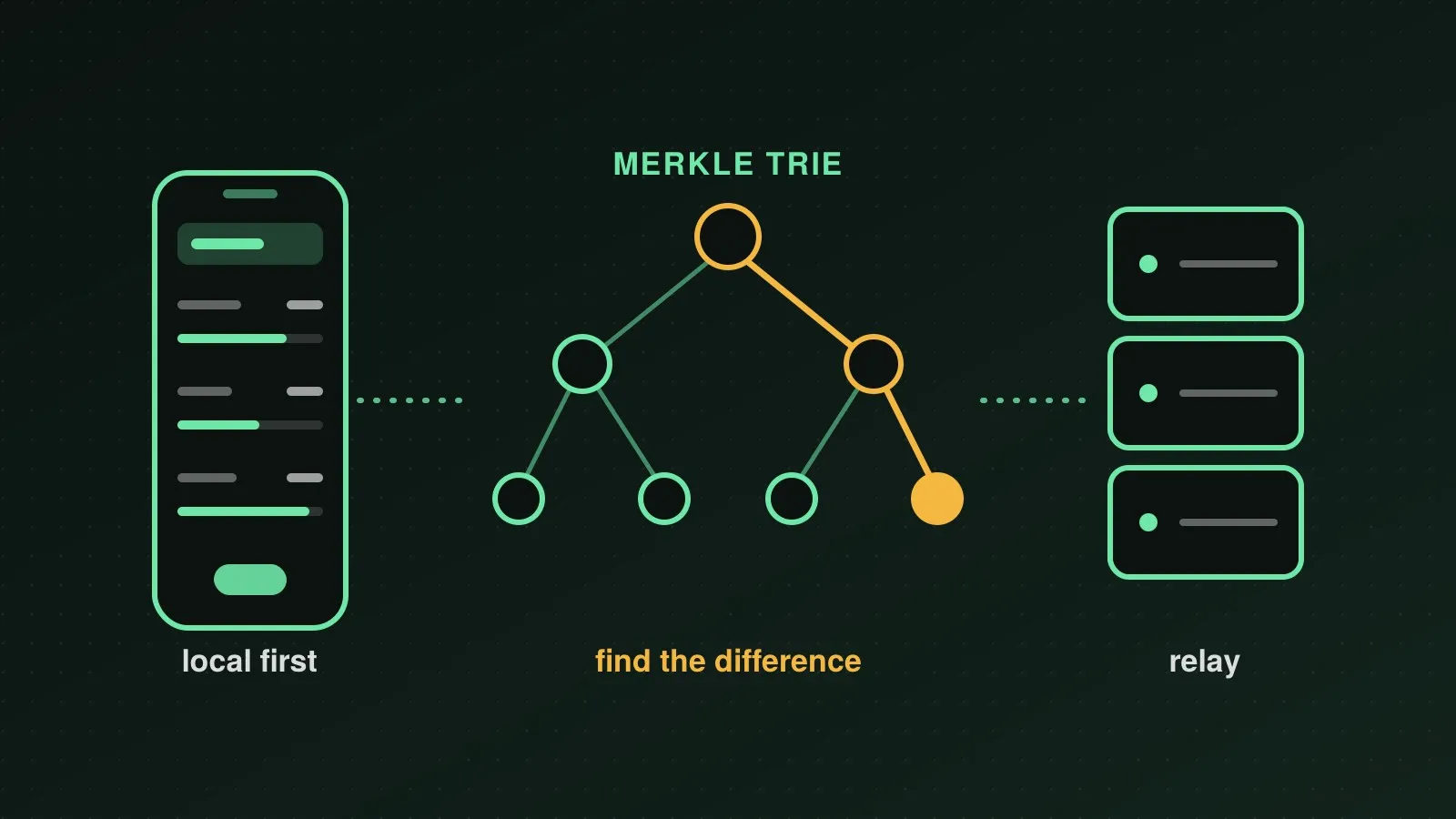
In Actua, the SQLite database on the phone is the source of truth and the server is a relay. Every edit is written locally first and recorded in a message log (messages_crdt). Syncing means sending the messages the server has not seen and applying the ones it sends back. Nothing about recording an expense waits on the network.
Amounts are stored as whole cents and decoded as integers, so a value never makes a round trip through floating point.
2. Clocks decide who wins
Actual orders every change with a hybrid logical clock (HLC) timestamp, a fixed-format string made of an ISO time, a hex counter and a node id. Because the timestamp is a string, ordering is just string comparison. That makes conflict resolution deterministic on every device and on the server.
Actua implements the same rules as upstream: send() takes the later of the stored clock and the current time and bumps the counter when time stutters or goes backwards; recv() merges in a clock from an incoming message; and a drift of more than five minutes or a counter overflow is rejected.
Conflicts are then resolved per cell, with last-writer-wins. When a message arrives for a given row and column:
- If the log already holds the same timestamp, the message is skipped.
- If the log holds a newer one, the message is recorded but not applied.
- Otherwise it is applied, in timestamp order, inside a single database transaction.
So if I edit a category offline on my phone while a transaction is imported in the web app, neither write destroys the other. They touch different cells, and the clocks settle any tie.
One subtle fix is worth sharing. Actual shares one clock per budget. Actua’s writers each have their own, so a message received after a writer was built could leave that writer’s next timestamp older than data already in the log. The fix was to read the message log’s high-water mark before every send(), so every local edit is newer than everything already stored. I found this by auditing Actua against upstream, and it is now covered by tests.
3. A Merkle trie finds what is missing
Instead of comparing whole tables, client and server each keep a Merkle trie of message timestamps. Keys are minutes since the epoch written in base 3, and each node holds the XOR of the MurmurHash3 values below it. Comparing the two tries tells you the first minute at which the histories differ, so sync only exchanges messages from that point on. Actua rebuilds its trie from the message log on every sync pass, which keeps it consistent with what is actually stored.
4. Encryption, copied exactly
Actual supports optional end-to-end encryption. The key is derived from the password with PBKDF2-SHA512 (10,000 iterations, 256 bits), and messages are encrypted with AES-256-GCM using a random 12-byte IV and a 16-byte tag. Compatibility here means byte-for-byte compatibility, so Actua mirrors those parameters. This is the key derivation from SyncEncryption.kt:
fun deriveKey(password: String, salt: String): ByteArray {
    val spec = PBEKeySpec(password.toCharArray(), salt.encodeToByteArray(), ITERATIONS, KEY_BITS)
    return try {
        SecretKeyFactory.getInstance("PBKDF2WithHmacSHA512").generateSecret(spec).encoded
    } finally {
        spec.clearPassword()
    }
}
The one place Actua deliberately differs is storage. The derived key is wrapped by an Android Keystore key before it is kept on the device, which is stronger at rest than upstream’s approach. It does not change anything the server or other clients see.
5. Failing safely
A sync can fail for many reasons: a lost connection, an expired session, a missing or wrong encryption key, a device clock that is far off. Actua gives each one a typed error and decides whether to retry. Transient problems retry with exponential backoff, up to five attempts. Problems that retrying cannot fix, such as a wrong key or a clock that is too far off, stop and tell the user what to do. No failure resets or deletes local data, and any pending edits stay in the message log until they have synced.
6. Proving it matches
The part I trust most is not the sync code but the tests around it. I ported upstream’s own test vectors for the timestamp and Merkle code, and I added fixtures for wire bytes and key derivation, so the Android code is checked against what Actual itself produces. Two-client tests make edits on both sides and verify that they converge, including when messages arrive in reverse order. A written audit lists every behaviour, whether it matches upstream, and where Actua differs on purpose. If a change to sync breaks parity, the build fails.
I also keep Macrobenchmark tests for the main journeys, such as startup, scrolling the budget and opening the transaction register, so UI smoothness can be measured on a real device instead of judged by feel. I have not recorded a baseline yet, so I won’t quote numbers here.
Takeaways for local-first Android apps
- Local-first is a mindset, not just a cache. If the server is the source of truth and local storage a temporary copy, offline will always feel fragile. Make the local database the truth and the server a relay.
- Copy the protocol exactly, then test against the original. For a compatible client, “it seems to work” is not enough. Upstream test vectors and two-client convergence tests catch the subtle differences.
- Write down your deliberate differences. A short audit that marks each divergence as intentional is what lets you change the code later without fear.
- Never let a sync problem threaten local data. A failed sync should leave edits queued, not discarded.
Actua is open source on GitHub and available on Google Play. If you spot something wrong or want to compare notes on local-first apps, please open an issue.